
This article explains the syntax for advanced result filtering, including how to search for multiple values, filter for empty or non-empty fields, and use wildcard characters.
Search for different values
When you are searching for different values, you need to enter the search terms in separate condition fields. All values that match any one of the terms will be shown (this is a logical OR).
These conditions:
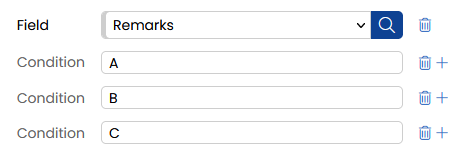
will be interpreted as Remarks contains "A" OR "B" OR "C".
Filter for (non-) empty values
You can filter for (non-) empty values in a text or numeric field.
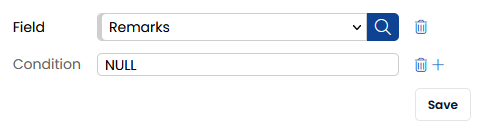
To filter for empty values, enter NULL in the Condition field. To filter for non-empty values, enter NOTNULL. Then click Save.
Wildcards
When filtering text columns, you can use a wildcard to represent any character.
The wildcard character is the underscore (_), which matches any single character in that position.
For example, filtering on _123 will match "A123", "B123", "0123", "$123", etc.
Note: To search for a literal underscore character, contact support for information on escape syntax, as escaping may vary by context.